

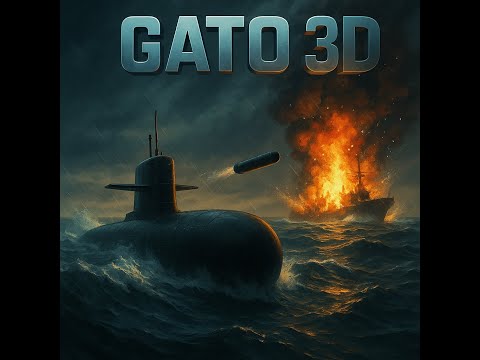
Aperçu vidéo du projet (cliquez sur l'image pour voir sur YouTube)
- Extension de la Grille de Terrain
- Augmentation de la grille de 3x3 (9 tuiles) à 7x7 (49 tuiles)
- Taille des tuiles augmentée à 12000 unités
- Terrain couvrant maintenant complètement l'horizon
- Optimisation des Performances
- Réduction adaptative de la résolution des tuiles éloignées
- Haute résolution (256 segments) pour les tuiles proches
- Moins de segments (min 96) pour les tuiles éloignées
- Meilleure gestion des ressources tout en maintenant la qualité visuelle
- Algorithme de Génération Déterministe
- Suppression des éléments aléatoires dans la génération
- Terrain toujours cohérent et prévisible
- Meilleure expérience de navigation sans discontinuités visuelles
- Speedometer Target Speed Fix
- Fixed issue where target speed needle (palier) was not displaying in the speedometer
- Resolved "Cible: NaN" display problem by properly handling variable references between modules
- Improved variable access between submarine controls and UI components
- Added validation to ensure target speed values are always numeric and properly normalized
- Enhanced error handling for edge cases (zero max speed, invalid target values)
- Bounce Effect on Collision
- Implemented a realistic bounce response when the submarine collides with terrain
- Submarine now bounces upward upon collision instead of stopping completely
- Added configurable bounce strength for fine-tuning the physics response
- Maintains partial forward momentum for more natural movement during collisions
- Pressure Warning System
- Added a pressure warning system that triggers when the submarine remains below 400 units depth for more than 10 seconds.
- Displays a blinking red alert above the depth meter to warn players of dangerous depths.
- Encourages safe navigation and adds realism to deep-sea exploration.
- Improved Physics Integration
- Enhanced compatibility between legacy and modern submarine physics systems
- Better handling of velocity resets and position corrections
- Fixed critical reference errors related to physics object handling
- Console.log Statements Commented Out
- Commented out all
console.logstatements across UI, enemy, level, ocean, input, and editor files. - Affected files include:
ui/controls/cameraControls.js,ui/minimap/minimapManager.js,ui/minimap/minimapEvents.js,ui/minimap/minimapButtons.js,ui/minimap/minimapLayout.js,ui/minimap/compass.js,ui/uiManager.js,ui/domElements.js,ui/controls/sliders.js,ui/components/overlayObserver.js,ui/components/visibility.js,ui/fixMenus.js,enemies/frenchDestroyer.js,enemies/simpleShip.js,enemies/detailedShip.js,enemies/shipDebug.js,enemies/modelTester.js,levels/levelManager.js,levels/level1.js,ocean/waveControls.js,input/inputManager.js,editor.js, and more. - Purpose: Reduce console spam during gameplay while preserving logs for future debugging. No functional code was removed.
- Commented out all
- Stepped Speed Control (Palier)
- Implemented a stepped speed control system that allows for precise speed adjustments
- Added key controls for incrementing/decrementing target speed (Z/↑ and S/↓)
- Added "0" key to set target speed to zero (gradual stop with inertia)
- Submarine now accelerates/decelerates smoothly toward the target speed
- Enhanced Speedometer
- Added a second orange needle to show target speed (palier)
- Improved speed display with real-time updates in knots
- Visual distinction between current speed (white) and target speed (orange)
- Help System
- Added a "?" button in the top-left corner showing keyboard controls on hover
- Interactive layout toggle between AZERTY and QWERTY keyboard layouts
- Auto-hiding after 2 seconds or when clicking elsewhere
- Improved Submarine Handling
- Enhanced turning capability at high speeds for better control
- Reduced speed-based turning resistance for more responsive steering
- More gradual deceleration when stopping for realistic inertia
- Realistic Sun Path
- Sun now follows a natural East-West trajectory
- Sunrise at 6:00 AM and sunset at 6:00 PM
- Smooth elevation arc from horizon to zenith
- Smooth Star Transition
- Star sky fades in/out over one hour (5:00-6:00 AM/PM)
- Progressive opacity change for natural transitions
- Smooth color gradient from day to night
- Camera and Sky Synchronization
- Sky spheres follow camera position for infinite effect
- Proper distance management for visibility
- Real-time sky updates with camera movement
- Terrain Generation
- Implemented a large-scale ocean floor matching the water surface dimensions
- Added realistic terrain generation with multiple noise layers
- Terrain now acts as a solid obstacle for the submarine
- Increased ocean depth from -120 to -320 units, with the submarine able to dive up to 500 units below sea level
- Water Surface Visibility
- Fixed water surface visibility from below using THREE.DoubleSide material
- Added proper collision detection between submarine and terrain
- Terrain now has a realistic texture and smoother relief
- Collision System
- Added robust collision detection system for the submarine
- Submarine cannot pass through the ocean floor
- Added visual feedback when colliding with terrain
- Unified Top Bar UI
- All menu buttons are now organized into a single top bar, positioned at the top right for easy access.
- Consistent button styling: uniform size, spacing, color, and hover effects for a modern look.
- Panel Improvements
- Menu panels now open directly below their corresponding buttons and never overflow the screen.
- Each panel is clearly labeled and organized for intuitive navigation.
- Dedicated Submarine Settings Panel
- Submarine-specific controls (speed, rotation, mass) are grouped in a dedicated panel with clear titles.
- Sliders update submarine physics in real-time for immediate feedback.
- Visibility, Wave, and Camera Panels
- Added a visibility panel to manage scene object visibility.
- Integrated wave and camera settings into their own panels with appropriate controls.
- General UI/UX Enhancements
- Improved overall consistency, responsiveness, and accessibility for all controls and panels.
- Submarine Speed Controls
- Fixed velocity behavior when changing direction (forward to backward or vice versa)
- Added special "dive brake" system - pressing down (W) at high speed now properly decelerates
- Implemented "reverse brake" for pressing backward (S) at high speeds
- Set default maximum submarine speed to 10 knots (previously 130 knots)
- Minimap Zoom Controls
- Enhanced flexibility with dynamic zoom step based on current zoom level
- Changed minimum zoom level to 250 and maximum to 15,000 for better usability
- Speedometer
- Improved to accurately show combined velocity from both horizontal and vertical movement
- Fixed velocity reporting for vertical movement
- Minimap
- Correction : la minimap s’initialise correctement au lancement du jeu (plus besoin de resize)
- Responsive et taille dynamique dès le chargement
- Boutons (+, -, rotation) groupés, accessibles et responsives
- Horloge
- Agrandissement du canvas horloge pour une meilleure visibilité
- Affichage toujours lisible, responsive
- Panels de menu
- Exclusivité : un seul panel ouvert à la fois (fermeture auto des autres)
- Les panels s’ouvrent à gauche des boutons (plus d’overlap)
- Robustesse UI
- Correction de bugs d’initialisation, accès DOM, et synchronisation
- Refactoring et nettoyage du code d’initialisation UI
- Centralisation complète de la gestion des lumières et de l'atmosphère dans
public/js/lighting.js - Suppression du code dupliqué : tous les scripts utilisent désormais le module unique pour créer, modifier et piloter la lumière, le ciel et l'atmosphère
- Nettoyage de
main.js,water-setup.js,ui/settings.js: plus de gestion locale de la lumière - Correction de l'import dynamique dans
settings.js(ES6 only) - Par défaut : intensité du soleil (DirectionalLight) à 2
Symptôme : L'eau apparaît comme une surface grise sur GitHub Pages mais fonctionne correctement en localhost.
Cause : Le problème est lié au chargement des textures de l'eau. GitHub Pages applique des restrictions strictes sur les chemins d'accès aux ressources, ce qui peut empêcher le chargement correct des textures.
Solution :
- Assurez-vous que la texture
waternormals.jpgest présente dans le dossier/public/textures/ - Utilisez un système de chargement de texture robuste qui essaie plusieurs chemins :
- Chemin relatif depuis le dossier du projet
- Chemin absolu depuis la racine du site
- URL externe de secours (Three.js CDN)
Code de référence :
// Dans water-setup.js
const texturePaths = [
    './textures/waternormals.jpg',           // Chemin relatif (préféré)
    '../textures/waternormals.jpg',          // Autre chemin relatif possible
    '/textures/waternormals.jpg',            // Chemin absolu depuis la racine
    'https://threejs.org/examples/textures/waternormals.jpg' // Fallback externe
];

function tryLoadTexture(paths, index = 0) {
    if (index >= paths.length) {
        console.error('❌ Tous les chemins de texture ont échoué!');
        return new THREE.Texture();
    }

    console.log(`[WATER] Tentative de chargement de la texture: ${paths[index]}`);

    return new THREE.TextureLoader().load(
        paths[index],
        tex => {
            console.log(`✅ Texture d'eau chargée avec succès depuis: ${paths[index]}`);
            // Configuration de la texture
            tex.wrapS = tex.wrapT = THREE.RepeatWrapping;
            tex.repeat.set(20, 20);
            tex.flipY = false;
            tex.anisotropy = renderer.capabilities.getMaxAnisotropy();
        },
        undefined,
        err => tryLoadTexture(paths, index + 1)
    );
}
Prévention :
- Toujours vérifier que les textures sont présentes dans le dépôt
- Utiliser des chemins relatifs plutôt que des chemins absolus
- Ajouter des messages de débogage pour faciliter le diagnostic
- Modularisation à terminer
- Migration des sliders Rayleigh, Turbidity, Mie, etc. vers
lighting.js(actuellement partiellement danssettings.js) - Extraction finale de tout contrôle lumière/atmosphère dans le module central
- Gestion centralisée des entrées clavier/souris
- Modularisation complète des panneaux UI
- Migration des sliders Rayleigh, Turbidity, Mie, etc. vers
- UI/UX & Accessibilité
- Amélioration responsive sur tous les panels et boutons
- Accessibilité (navigation clavier, ARIA, contrastes)
- Polish visuel : icônes, feedback, animations légères
- Tests & Robustesse
- Tests unitaires sur modules critiques (minimap, panels, sliders, lighting)
- Validation multi-plateforme (desktop/mobile)
- Gameplay & Logic
- Ajout de la logique de jeu (objectifs, scoring, etc.)
- Synchronisation UI ↔ gameplay
- Multijoueur
- Intégration WebRTC (étape 2)
- Synchronisation d’état et interpolation client
- Documentation
- Mise à jour continue du README et des commentaires code
- Tutoriels d’utilisation et guides contributeurs
GATO3D est un prototype de jeu 3D sous-marin interactif en JavaScript (Three.js).
GATO3D is an interactive 3D submarine game prototype written in JavaScript (Three.js).
-
Contrôle d'un sous-marin dans un environnement 3D avec physique réaliste
-
Système avancé de contrôle de vitesse avec freins de plongée et marche arrière
-
Interface utilisateur (UI) réactive : profondeur, minimap, horloge, compteur de vitesse
-
Minimap avec contrôles de zoom dynamiques adaptés au niveau de zoom actuel
-
Cycle jour/nuit dynamique avec position du soleil ajustable
-
Synchronisation UI ↔ gameplay (slider de vitesse, profondeur, horloge, etc.)
-
Control a submarine in a 3D environment with realistic physics
-
Advanced velocity control system with dive brakes and reverse braking
-
Responsive UI: depth indicator, minimap, clock, speedometer
-
Enhanced depth meter UI with improved visibility for critical alerts and pressure warnings
-
Minimap with dynamic zoom controls that adapt to current zoom level
-
Dynamic day/night cycle with adjustable sun position
-
UI ↔ gameplay synchronization (speed slider, depth, clock, etc.)
- Clonez ce dépôt
- Ouvrez le dossier
public/dans un serveur local (ex :npx serve public/ou extension Live Server)
- Clone this repository
- Open the
public/folder in a local server (e.g.npx serve public/or using Live Server extension)
-
Les commandes du sous-marin et de la caméra sont accessibles via l'UI et le clavier.
-
Le cycle du soleil est décalé de -3h et l'horloge effectue 2 tours pour 24h.
-
Submarine and camera controls are accessible via the UI and keyboard.
-
The sun's cycle is shifted by -3h and the clock makes 2 revolutions for 24h.
Ce projet est sous licence MIT. Voir le fichier LICENSE pour plus d'informations.
This project is licensed under the MIT License. See the LICENSE file for details.
- Multiplayer Submarine Game
A 3D multiplayer submarine game built with Three.js, WebRTC, and Node.js.
GATO3D/
├── public/              # Frontend assets
│   ├── css/            # Stylesheets
│   ├── js/             # JavaScript files
│   ├── models/         # 3D models
│   ├── shaders/        # Custom shaders
│   └── textures/       # Image textures
├── server.js           # Main server file
└── package.json        # Project dependencies
- Real-time 3D submarine simulation
- Day-night cycle with dynamic lighting
- Multiplayer support using WebRTC
- Interactive UI controls
- Submarine movement controls (ZQSD/Arrows)
- Environment effects (water, sky, sun)
- Visual & Lighting Improvements
- Submarine UI Panel (MCP)
- Basic Game Logic
- Camera Improvements
- Networking Base (WebRTC)
- State Synchronization
- Client-side Interpolation
- Developer Tools
- UI Enhancements
- DevOps Setup
- Install dependencies:
npm install- Start the server:
node server.js- Open your browser and navigate to:
http://localhost:3000
- Forward: Z or Up Arrow
- Backward/Brake: S or Down Arrow (also acts as brake at high speeds)
- Turn Left: Q or Left Arrow
- Turn Right: D or Right Arrow
- Ascend: A (move submarine upward)
- Descend/Brake: W (also acts as dive brake at high speeds)
- Zoom In: Click the + button on the minimap
- Zoom Out: Click the - button on the minimap
- Rotate/Compass: Click the compass (🧭/🔄) button to toggle minimap rotation (auto-rotate/fixed north)
- The game UI is now fully modular and will only appear after the title overlay is dismissed.
- All minimap controls are now robust and should work regardless of load order.
-
The UI and minimap system have been refactored for modularity:
- UI logic is split into
/public/js/ui/components/,/public/js/ui/controls/,/public/js/ui/minimap/ - Minimap controls communicate via custom DOM events (
minimap-zoom-change,minimap-rotation-change) - The compass is always visible and rotates with the submarine if auto-rotate is enabled.
- UI logic is split into
-
If you encounter UI issues, check the browser console for
[UI:Minimap]or[UI:Visibility]logs for diagnostics. -
Unified Top Bar: All menu buttons (game settings, submarine settings, visibility, light, wave, camera) are now in a single top bar at the top right.
-
Submarine Settings: Speed, rotation, and mass sliders in a dedicated submarine panel (opens below the submarine button in the top bar).
-
Visibility Panel: Manage visibility of scene objects via the top bar.
-
Wave & Camera Panels: Access wave and camera settings from their dedicated top bar buttons.
-
Consistent Button Styling: All buttons have uniform appearance and responsive hover feedback.
-
Panel Positioning: All panels open directly under their respective buttons and are clearly labeled.
-
Minimap Zoom: + and - buttons on minimap
-
Minimap Rotation: R button on minimap
We've implemented a modular camera control system with the following features:
- Distance control (50-500 units)
- Altitude/height control (10-200 units)
- Smoothness/damping control (0.001-0.05)
When implementing new UI controls (sliders, buttons), we identified the following critical issues:
-
DOM Element References: Using cached element references via a central element registry can be problematic if elements are dynamically added, removed, or replaced during runtime. This affected camera controls when UI was reinitialized.
-
Event Listener Connection: The application has two separate systems for connecting UI controls:
- The
sliderConnector.jsmodule (which is called manually and not automatically on startup) - The module-specific initialization functions (like
initCameraSliders()incameraControls.js)
- The
-
Function Parameter Order: Inconsistent parameter order in key functions like
setCameraFollowParams()caused confusion. Some places expected (distance, damping, height) while others used (distance, height, smoothness).
To address these issues, we:
-
Direct DOM Queries: Modified control handlers to directly query DOM elements by ID at each update, making them more resilient to DOM changes:
// Instead of using cached references
const distanceSlider = document.getElementById('camera-distance-slider');
-
Standardized Parameter Order: Ensured consistent parameter ordering across all camera control functions.
-
Added Validation and Fallbacks: All control functions now check for missing elements and apply sensible defaults when needed.
-
Improved Logging: Added detailed console logging to track UI control state changes.
When adding new UI controls:
- Always connect your controls in both the relevant module (e.g.,
cameraControls.js) AND insliderConnector.jsfor redundancy - Use direct DOM queries for more resilient event handling
- Add fallback logic for missing elements
- Follow consistent parameter order in related function calls
- Provide detailed console logs for debugging
- Solution: Commented out all
console.logstatements in gameplay and UI files to keep the console clean. Logs are preserved for future debugging by simply uncommenting as needed.
- Solution: Standardized the connection of sliders and buttons via both module-specific initializers and a central connector module. Ensured all controls are connected and avoid redundant code.
- Solution: Refactored all related functions (e.g., camera controls) to use a consistent parameter order and added validation/fallbacks for missing elements.
- Solution: Switched to direct DOM queries for UI controls to increase resilience to dynamic UI changes.
- Symptoms: Submarine movement feels unnatural when hitting terrain; submarine stops completely upon collision.
- Technical Causes:
- Collision detection resets the submarine position but doesn't provide a natural physics response
- Velocity is completely zeroed out upon collision instead of being redirected
- Solution: Implemented a bounce effect with the following technical approach:
// 1. Store the submarine's position before movement
const previousPosition = new THREE.Vector3().copy(playerSubmarine.position);

// 2. Apply movement and check for collision
moveSubmarine();
const collisionDetected = detectTerrainCollision(playerSubmarine);

// 3. If collision occurs, restore previous position and apply bounce
if (collisionDetected) {
  // Restore previous position
  playerSubmarine.position.copy(previousPosition);

  // Apply upward bounce (adjust strength as needed)
  const bounceStrength = 0.8;
  playerSubmarine.position.y += bounceStrength;

  // Reduce forward velocity but don't zero it completely
  defaultPhysics.velocity *= 0.5;  // Maintain partial momentum
}
-
Symptoms: Developers and testers can't see the actual collision area used for the submarine.
-
Technical Causes: const boxMaterial = new THREE.MeshBasicMaterial({ color: 0x00aaff, // Blue color for visibility wireframe: true, // Show as wireframe transparent: true, // Enable transparency opacity: 0.7 // Semi-transparent });
// Create and position the collision box const collisionBox = new THREE.Mesh(boxGeometry, boxMaterial); collisionBox.name = 'submarineCollisionBox'; submarine.add(collisionBox); // Add as child of submarine collisionBox.visible = false; // Hidden by default
// Store reference for toggling window.submarineDebug = { collisionBox };
return collisionBox; }
The GATO3D codebase uses a modular architecture with careful management of shared variables between modules. Here are some important patterns and potential pitfalls:
Architecture:
palierSpeed.js: Defines and exports the coretargetSpeedvariable and related functionscontrols.js: ImportstargetSpeedfrom palierSpeed.js and uses it for submarine controlsuiManager.js: Needs to access the currenttargetSpeedto display it in the speedometer
Problem Solved:
- The speedometer was showing "Cible: NaN" and not displaying the target speed needle
- Root cause: Incorrect variable access between modules - trying to access
submarineModule.targetSpeeddirectly - Solution: Get
targetSpeedfrom the submarine instance object returned byupdatePlayerSubmarine()which contains the correct value
Best Practices:
- When working with shared state across modules, prefer passing complete objects rather than individual variables
- Always validate numeric values before calculations (check for NaN, null, undefined)
- Use defensive programming with fallback values when dealing with cross-module dependencies
- Add debug logging for critical values that affect UI components
While AI is not yet fully integrated, the GATO3D project is designed with future AI features in mind. Planned uses include:
- Automated debugging (e.g., detecting UI/logic errors, suggesting fixes)
- Gameplay assistance (AI-driven hints, adaptive difficulty)
- Procedural content generation (levels, missions)
- Intelligent user feedback analysis
- Modularize logic: Keep game logic and UI modular for easy AI hooks.
- Document interfaces: Clearly document APIs and data flows.
- Expose debug endpoints: Provide hooks for AI agents to read/write game state.
- Plan for privacy/security: Ensure sensitive data is handled appropriately.
Stay tuned for future updates as AI features are integrated!
✅ Completed
- Unified Top Bar for Menu Buttons
- All menu controls are now grouped in a single top bar with consistent styling and placement.
- Panel System Overhaul
- Panels open under their respective buttons, are clearly labeled, and never overflow the screen.
- Submarine Settings Panel
- Dedicated panel for submarine controls (speed, rotation, mass) with real-time feedback.
- Visibility, Wave, and Camera Panels
- Dedicated panels for visibility, wave, and camera settings, accessible from the top bar.
- Consistent Button & Panel Styling
- Uniform appearance, spacing, and hover effects across all UI controls.
- Submarine Physics System
- Realistic submarine movement with momentum and inertia
- Special braking systems (dive brake, reverse brake) for intuitive control
- Proper velocity calculation with combined horizontal and vertical movement
- Stepped speed control (palier) with visual feedback on speedometer
- Improved turning mechanics at high speeds
- Realistic maximum speed (10 knots) with adjustable slider
- Minimap & UI Improvements
- Dynamic zoom controls based on current zoom level
- Enhanced minimap visibility and usability
- Accurate speedometer that accounts for all movement directions
- Modularisation complète du code JS (minimap, horloge, HUD, panels, lumière/atmosphère)
- Centralisation de la gestion lumière/atmosphère dans
lighting.js - UI réactive et responsive (minimap, horloge, boutons, panels)
- Panels de menu exclusifs et ergonomiques
- Correction des bugs d'initialisation UI/minimap
- Base serveur Node.js opérationnelle
- Contrôles sous-marin (ZQSD/Flèches)
- Cycle jour/nuit dynamique
🚧 En cours
- Migration des sliders Rayleigh, Turbidity, Mie, etc. vers
lighting.js - Polish UI/UX (feedback, accessibilité, animations)
- Refactoring & documentation continue
- Unified top bar for all menu buttons
- Modularization of JS code (minimap, clock, HUD, panels, lighting/atmosphere)
- Realistic submarine physics and controls
- Dynamic day/night cycle
- Responsive and accessible UI
- Robust terrain system with realistic submarine depth and pressure limits
- Node.js server base operational
- Migration of lighting sliders to
lighting.js - UI/UX polish (feedback, accessibility, animations)
- Refactoring & continuous documentation
- Gameplay logic (objectives, scoring)
- Unit testing and multi-platform validation
- Multiplayer integration (WebRTC)
- Contributor tutorials and guides
- Future AI-powered features (debugging, gameplay assistance)
ISC License