



Available languages: English, Deutsch, Français, Italiano, Español, Nederlands
Unofficial. Not affiliated with, endorsed by or supported by Scalable Capital. "Scalable" and its logo are trademarks of Scalable Capital GmbH.
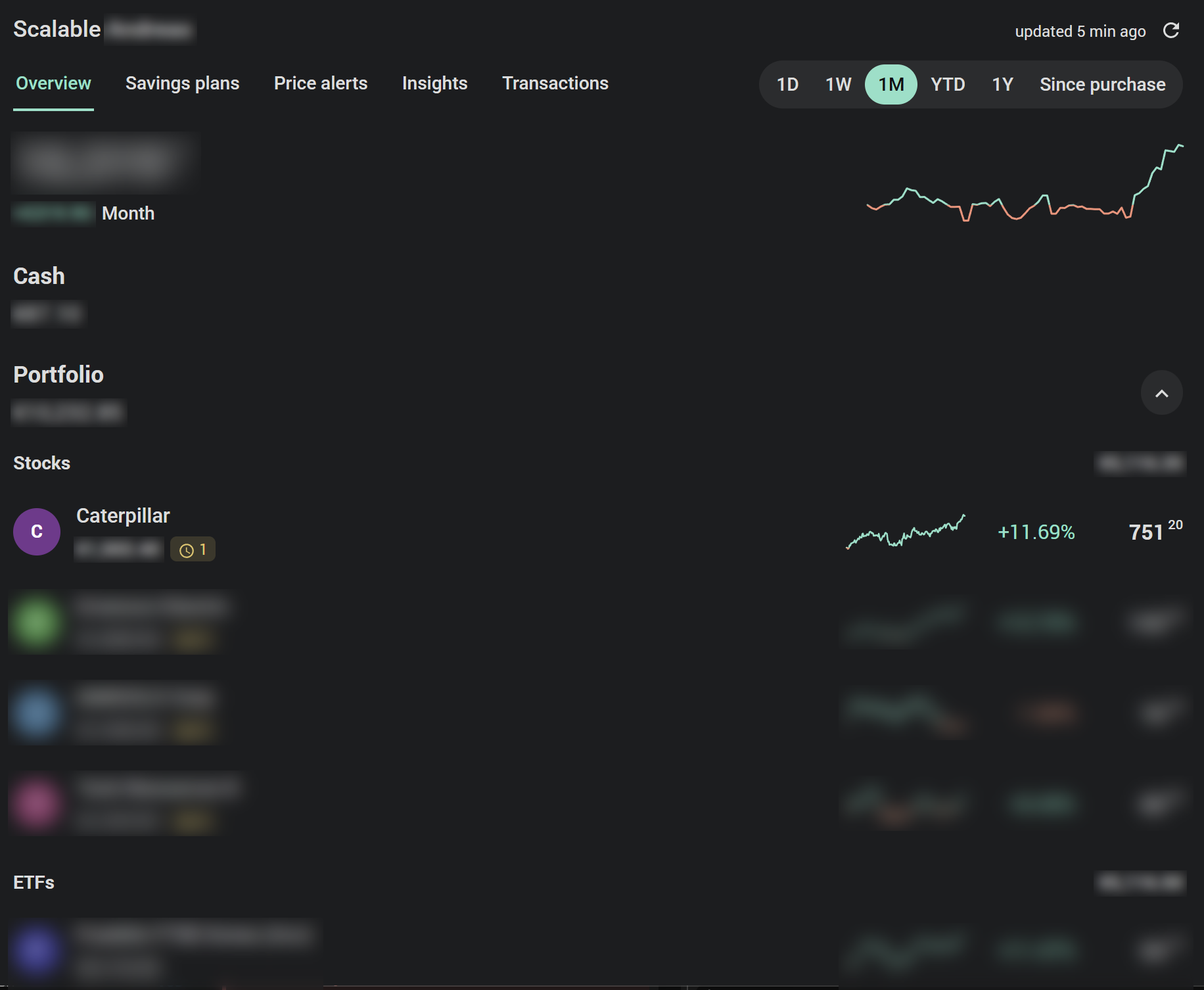
Checking on a portfolio usually means opening the broker's app. This integration brings a Scalable Capital broker portfolio into Home Assistant in addition, laid out the way Scalable's own web app lays it out: the overview with its balance, every position with what it cost and what it has made, the watchlist, the price alerts and the transactions.
It reads through Scalable MCP, the connection Scalable offers to AI assistants - Scalable publishes no other interface for software that is not its own app. Home Assistant already ships what is needed to talk to it, so there is no add-on and no extra program to install.
Typical reasons to use it:
- See the portfolio on a dashboard. The Scalable card comes with the integration and reads like Scalable's web app: the same tabs, the same period switch, a page per security and per order. Nothing to download and no resource to register.
- Know what a position has made. Value, purchase value, average price and the unrealised return for every position - a figure Scalable does not report on its own and the integration works out from the transactions.
- Follow the watchlist and the price alerts without opening the app: a price and today's change per entry, and how far each alert still is from the current price.
- Use the figures anywhere. Every value is a plain sensor, so history graphs, statistics, templates and automations work as with any other sensor.
- Keep it apart by kind. Stocks, ETFs and every other kind of security get a group of their own on the integration page and a value of their own.
- Look, nothing more. It only reads - see Reading only for what that rests on.
Questions, feedback, or just want to see what others are doing with it? Join the discussion on the Home Assistant Community thread.
- In Scalable's web version, switch on Scalable MCP (Before you start).
- Install via HACS or manually, then restart Home Assistant.
- Settings → Devices & Services → Add Integration, search for "Scalable Capital", give the entry a name and sign in to Scalable (Setting up).
- Put it on a dashboard: Add card → Scalable Capital gives you the card that comes with the integration. Or use the sensors in any card you like.
That is the whole setup. Everything below covers the individual parts in more depth.
Setting up
- Before you start - switching on Scalable MCP, and the access level
- Setting up - the name, and signing in to Scalable
- Configure - the update interval, removing what Scalable no longer lists, signing in again
How the portfolio arrives
- Created entities - every sensor and every attribute, for your own templates
Showing it on a dashboard
- Scalable card - the card that comes with the integration
Background
You need a Scalable Capital broker account with Scalable MCP switched on. It is found in Scalable's web version, not in the app, under Profile → Security → Agentic Investing.
Set its access level to Read only unless you also trade through an AI assistant. The level is the account's, not this integration's: it applies to every connection of your account, Home Assistant's included.
Settings → Devices & Services → Add Integration → Scalable Capital
- Name. Suggested as Scalable. It becomes the entry's title and the start of every entity id (
sensor.scalable_…) and device name. A second Scalable account needs a name of its own. - Submitting registers this Home Assistant with Scalable - a name and a return address, nothing about you.
- Sign in to Scalable. Open the link, sign in, confirm the second factor and authorise Home Assistant. Your browser then lands on a page that does not load; its address starts with
http://127.0.0.1:47861. That is expected: Scalable only lets an application return to the computer the browser runs on. Copy the whole address from the address bar and paste it into the form. It works once and only for a few minutes.
That is done once. The sign-in is renewed in the background from then on; when Scalable ends it, Home Assistant asks you to sign in again.
An account with more than one portfolio is asked which one; each portfolio is an entry of its own.
The gear on the integration page:
- Settings - the update interval in minutes, 5 to 1440, 15 by default; and Remove what Scalable no longer lists. Switched on, a sold position, an entry taken off the watchlist and a deleted price alert are removed from Home Assistant with the next update - devices, entities, the history recorded for them and their long-term statistics. Off, which is the default, they stay and read unavailable.
- Sign in to Scalable again - for instance after changing the access level in Scalable.
The integration page groups the devices:
| Group | Devices |
|---|---|
| General | ‹Name› Broker, ‹Name› Watchlist, ‹Name› Price alerts |
| Stocks, ETFs, … | one device per position, under its kind of security |
A group for a kind of security appears with the first position of that kind. Groups can be renamed.
Entity ids below assume the name Scalable.
| Entity | What it is |
|---|---|
sensor.scalable_portfolio_total |
Total value, cash included |
sensor.scalable_portfolio_cash |
Cash balance; attributes buying_power, pending_buy_orders |
sensor.scalable_portfolio_securities |
Value of all securities |
sensor.scalable_portfolio_crypto |
Value of all crypto |
sensor.scalable_portfolio_change_day / _week / _month / _ytd / _year / _since_buy |
The change in euros per period, as the web app's switch shows it |
sensor.scalable_portfolio_invested |
Purchase value of all positions |
sensor.scalable_portfolio_return / _return_pct |
Unrealised return of all positions |
sensor.scalable_portfolio_type_stock, _type_etf, … |
Value per kind of security; attributes positions, names, share_pct, invested, return, return_pct |
With ‹position› the security's name, e.g. sensor.scalable_caterpillar_value:
| Entity | What it is |
|---|---|
…_value |
What the position is worth; attributes isin, type, quantity, invested and the change per period for the whole position |
…_price |
The current price; attributes bid, ask, price_time, outdated and the change per period for one unit |
…_quantity |
Units held |
…_change_day |
Today's change in percent |
…_invested |
Purchase value; attribute average_price |
…_return / …_return_pct |
Unrealised return since purchase |
…_open_orders |
Orders that have not run yet; attribute orders with side, quantity, limit and stop |
The change per period comes as change_day, change_week, change_month, change_3_months, change_6_months, change_ytd, change_year, change_max, each also as …_pct.
The purchase value is not something Scalable reports. It is rebuilt from the transaction history - purchases added, sales taken off at the average price - and then held against the position's quantity. Where the two do not agree, for instance after a securities transfer or a split, the sensors that depend on it read unknown rather than a number that only looks right.
A sold position's sensors turn unavailable; its device can then be deleted - or is deleted for you, see Remove what Scalable no longer lists under Configure.
Per entry sensor.scalable_watchlist_‹name›_price and …_change_day, the price with the same attributes as a position's.
sensor.scalable_alerts_active counts the alerts still waiting (attribute triggered). Each alert is a sensor, e.g. sensor.scalable_alert_caterpillar_785_84, whose state is the price it waits for; attributes direction, active, triggered, triggered_time, and - where the security is a position or on the watchlist - current_price and distance_pct.
The integration's own card: the portfolio the way Scalable's web app shows it, with the same tabs - Overview, Savings plans, Price alerts, Insights, Transactions.
It comes with the integration. There is nothing to download, nothing to copy into www and nothing to register as a dashboard resource - restart Home Assistant after installing and the card is there, under Scalable Capital in the card picker. The entry that shows up under Settings → Dashboards → Resources is the integration's own: it writes it, keeps it pointing at the version it serves, and takes it out again with the last entry. In YAML it is just:
type: custom:scalable-cardThe card only shows. It has no buttons to buy, sell, cancel an order or set an alert, and the integration behind it cannot do any of that either.
Beside the title, a small symbol reads Scalable again right away instead of waiting for the next update.
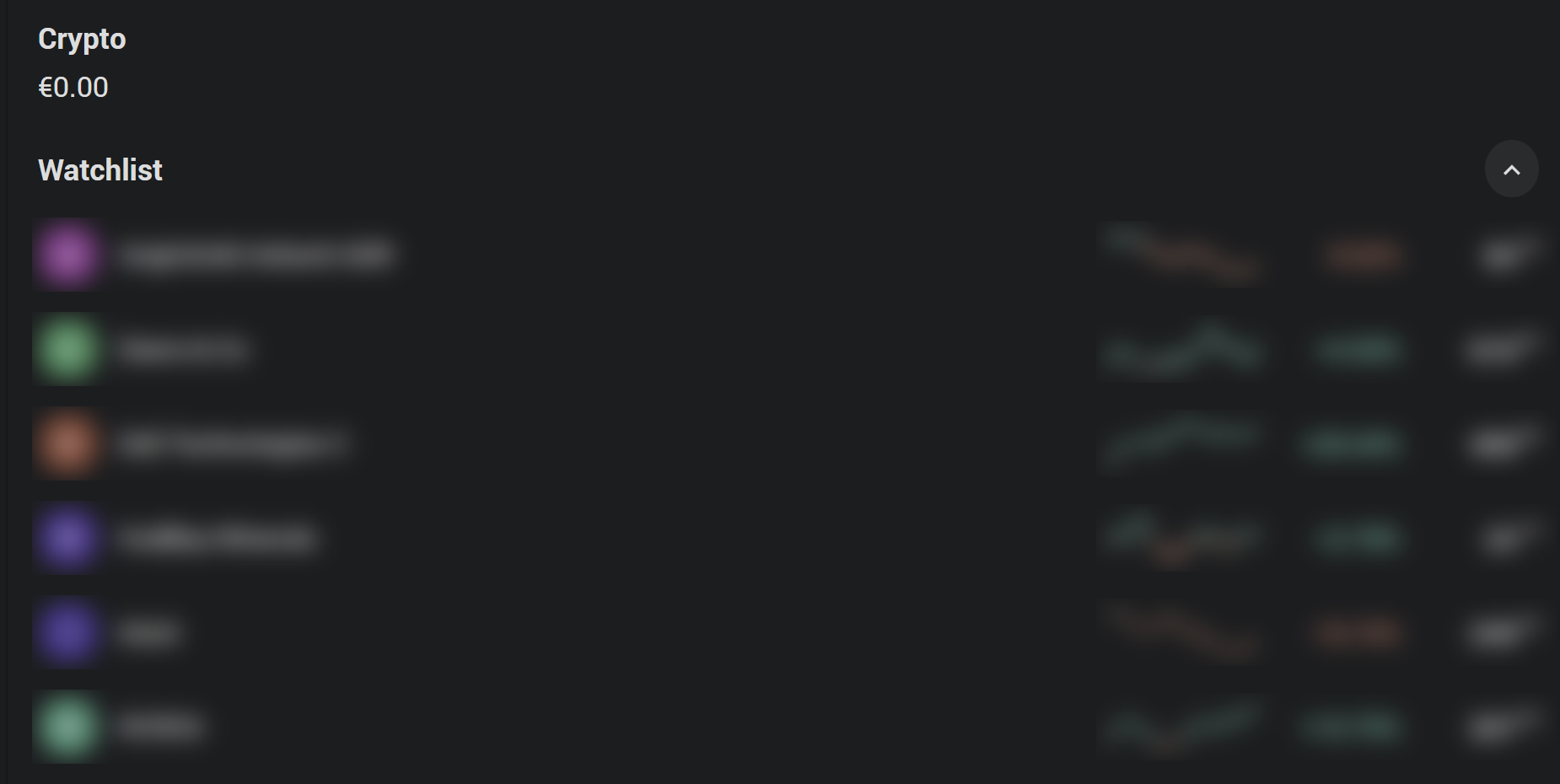
The total value with its change over the chosen period - 1D, 1W, 1M, YTD, 1Y, Since purchase - and the portfolio's curve beside it; a click on the curve opens Insights. Below, the cash balance, the positions under a heading per kind of security - Stocks, ETFs, … - the crypto value and the watchlist.
Every entry carries its value, its open orders - the clock is a link to them - a small curve, the change and the price. Under Since purchase a position shows its return in percent and euros instead. A section folds with a click on its heading.
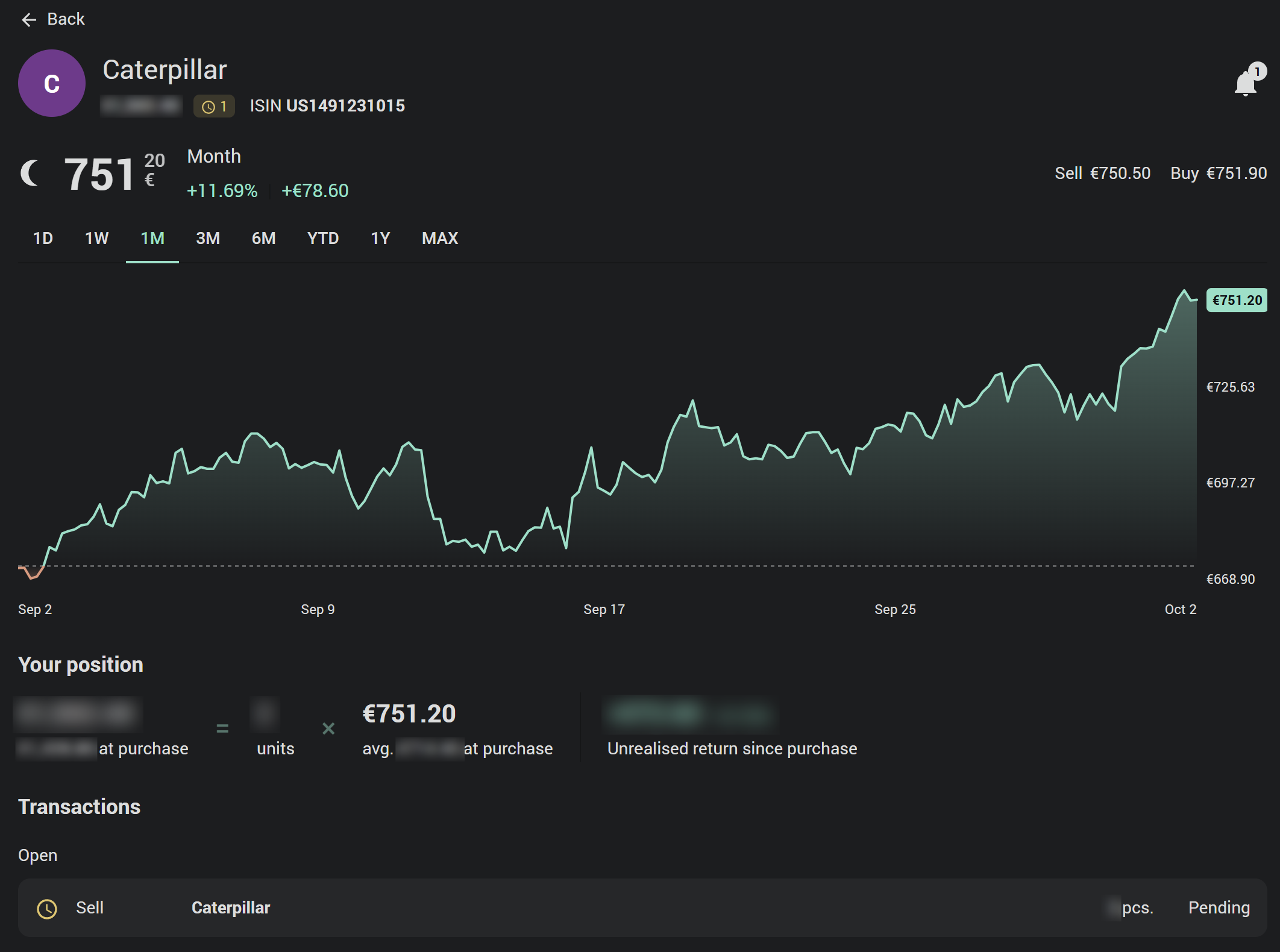
A click on an entry opens the security's own page:
- the price with its change over the chosen period, and the two prices of Scalable's Sell and Buy buttons;
- a chart over 1D to MAX that reads off the price under the pointer and marks the current price at its end, green above the period's starting price and red below it;
- a bell with the number of its waiting price alerts, which leads to them;
- Your position - value, purchase value, quantity, average price and unrealised return;
- the security's own transactions and open orders.
While trading is closed, a moon stands in front of the price, and the one-day view names the day the price is from instead of Today.
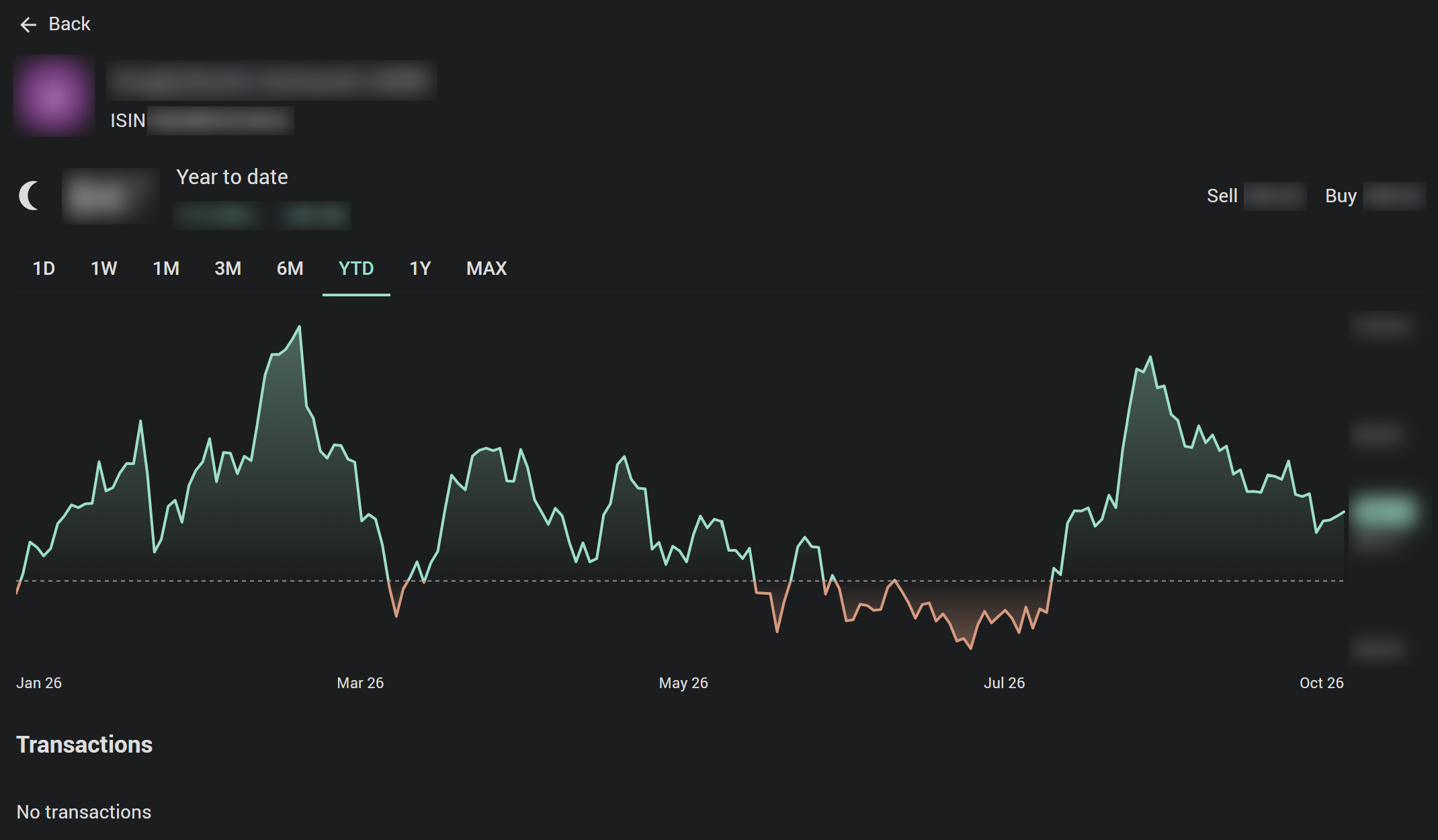
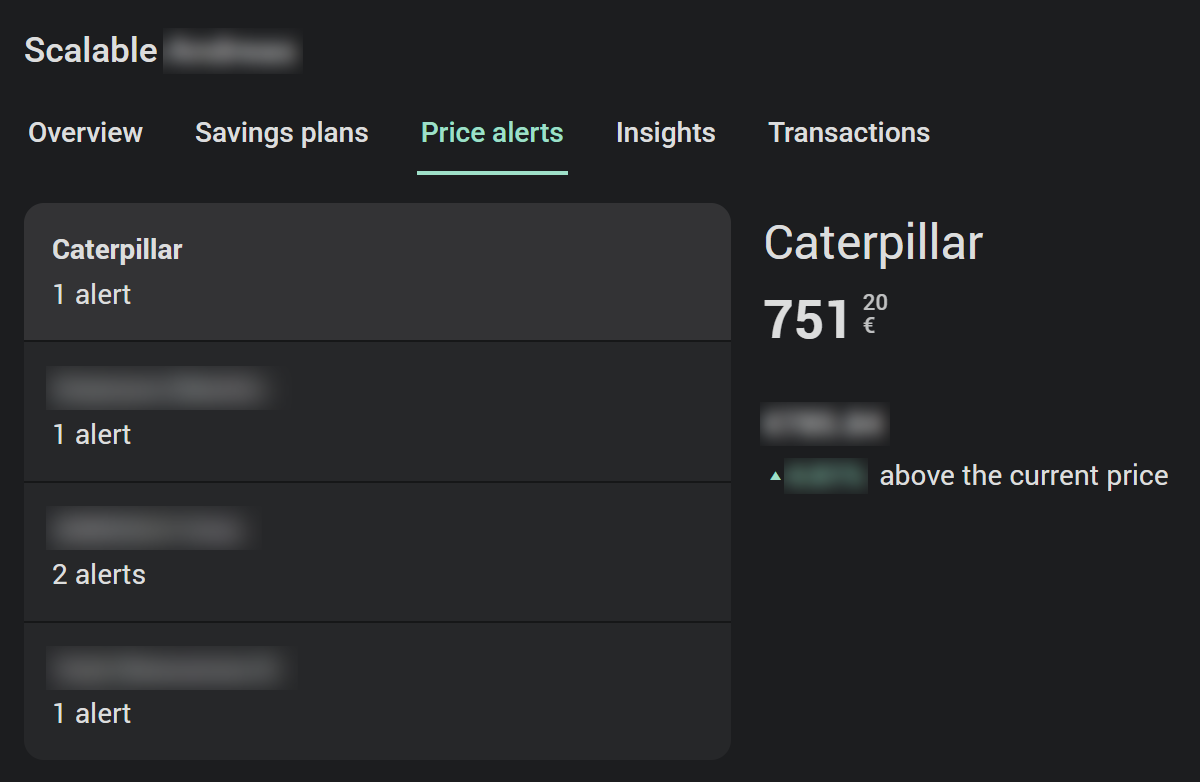
Price alerts lists the securities that have alerts. The chosen one shows its price, every alert still waiting with how far it is from the current price, and the ones already triggered with the moment they were reached.
Savings plans lists each plan with its amount, how often it runs and when it runs next.
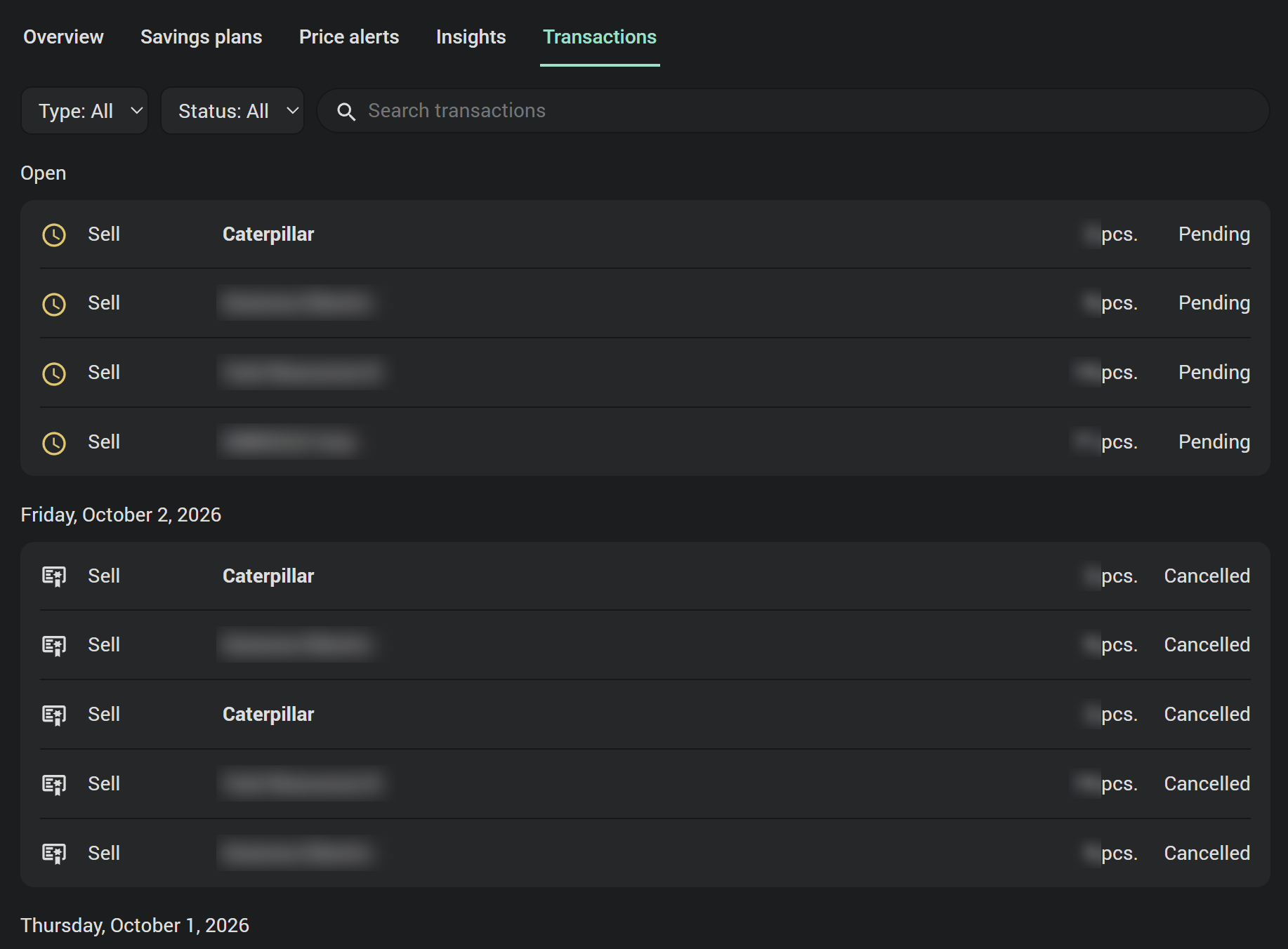
Open orders first, the rest under their day, with a search and two filters, Type and Status. Deposits and withdrawals carry their own symbol, the amount in green or red; a sale's proceeds are green as well.
A click opens the transaction's own page: ordered and executed quantity, limit and stop price with their distance to the current price, validity, trading venue, execution price, amount, the history of the order and the reference Scalable gives it.
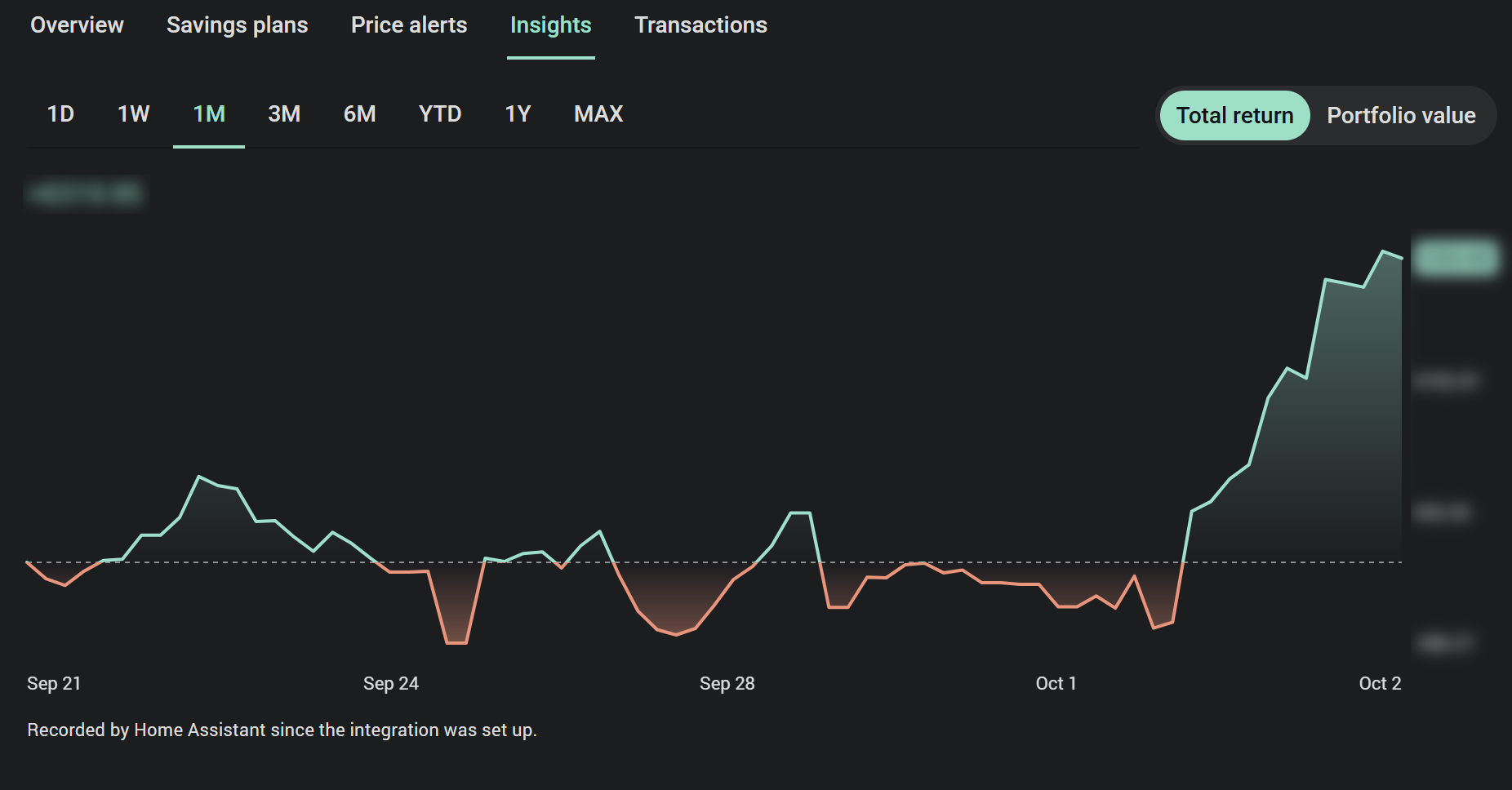
The portfolio's Total return or Portfolio value as a curve, over 1D to MAX.
The editor has two panels, each with three tabs, the way the Annuals and Blitzer.de cards have them:
- Settings - General (which account, the title, which tabs, the tab and the period the card opens on), Content (what the overview's head and sections show, grouping the positions by kind, their order, what a security's page shows) and List (what an entry is made of and what a click on it does).
- Layout - General (card background, the colours for gain and loss, and colour and font of the title, the tabs, the period switch, the total value and the headings), Chart (height, line width, fill, reference line, axis labels, the note under the portfolio's curve) and List (colour and font of every part of an entry).
Every field carries an i describing it. Only what you change is written to the dashboard: a card left as it is stores nothing but its type.
Three things, because Scalable does not hand them out:
- Logos. An entry gets a round symbol with its first letter.
- The portfolio's own curve - beside the total value and under Insights - is drawn from what Home Assistant has recorded for the portfolio's sensors. It therefore starts on the day the integration was set up, not on the day the portfolio was opened.
- Crypto is one figure; single coins are not listed.
Scalable's sign-in does not come in a read-only variety: what narrows it is the access level you set for Scalable MCP in your account (see Before you start). On this side, the integration names eleven of Scalable's tools - overview, positions, quotes, cash, watchlist, transactions, a transaction's details, price charts, price alerts, savings plans, portfolio list - and checks at every start and once a day that Scalable itself still declares each of them read-only. A tool that loses that declaration is not called at all.
- "Today" is the last trading day against the close before it. On a weekend it still describes Friday.
- Crypto is counted in the portfolio's crypto value; single coins are not positions yet.
- Every update costs a handful of requests plus one per position and watchlist entry. The card adds one request per security and period for its curves, kept for five minutes (one day) up to twelve hours (maximum), and one per transaction page opened.
- Scalable MCP is a young interface. If Scalable changes it, this integration has to follow.
Needs Home Assistant 2026.9 or newer.
Two things, in one download:
- The integration itself.
- The Scalable card. Served by the integration and handed to every dashboard, so there is no file to copy into
wwwand no resource to register.
Scalable Capital is installed as a custom repository:
- Open HACS in Home Assistant
- ⋮ → Custom repositories, add
https://github.com/somansch/scalableas Integration - Search for "Scalable Capital" and click the "Download" button
- Restart HA
Download scalable.zip from the latest release and extract it to config/custom_components/scalable:
mkdir -p custom_components/scalable
cd custom_components/scalable
wget https://github.com/somansch/scalable/releases/latest/download/scalable.zip
unzip scalable.zip
rm scalable.zip
A manual install needs no separate resource step for the card either: the integration serves it on every start.
If you find a problem, feel free to open an issue and I will do my best to help. If you have something to contribute, your help is greatly appreciated! If you want to add a new feature, please open a pull request first so we can discuss the details.
This custom integration is not officially endorsed or supported by Scalable Capital. Use it at your own risk, and make sure you comply with all relevant terms of service.
It talks to Scalable MCP, the interface Scalable offers for AI assistants, with your own sign-in and only through tools Scalable declares read-only. Figures it works out itself - purchase values, returns - can differ from Scalable's own, and what Scalable shows in its app is what counts.
This is not investment advice. The integration and its card only show what your own account holds; nothing in them, in this README or in its screenshots is a recommendation to buy, sell or hold anything. The securities that appear in the examples and screenshots - Caterpillar among them - are there to show how the card looks, not as a recommendation.
