
Next.js-powered collection browser with advanced filtering and streaming integration for MusicBrainz
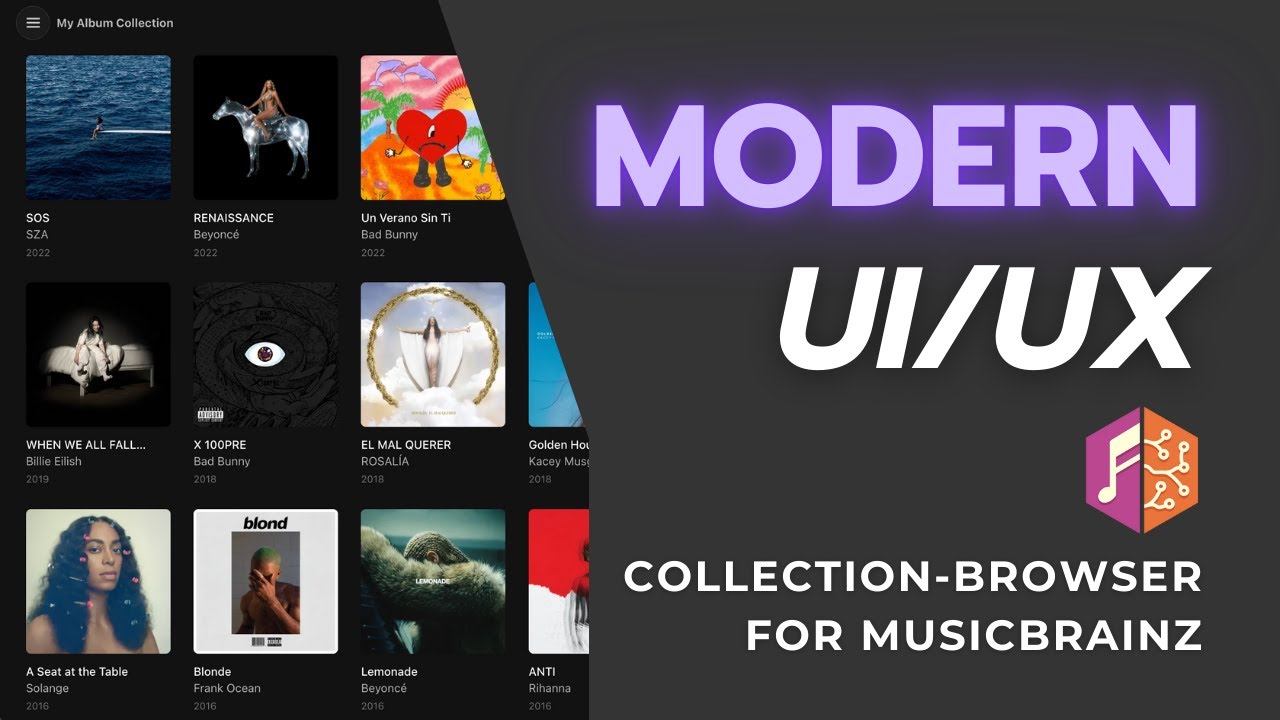
- Browse MusicBrainz release-group collections and series (e.g., "Rolling Stone 500")
- Advanced filtering by genres, tags, labels, dates, and ratings with AND/OR logic
- Streaming service links from MusicBrainz and by barcode (Spotify, Apple Music, Deezer, Tidal, Bandcamp, and more)
- Optional OAuth for personal collection access
- Modern design with dark theme
Album Grid:

Album Details:

Album Grid with Filters:

- Node.js 20.9 or higher (22 or 24 recommended)
- npm 9 or higher
-
Clone the repository:
git clone https://github.com/tmdecker/collection-browser-for-musicbrainz.git cd collection-browser-for-musicbrainz -
Install dependencies:
npm install
-
Configure environment variables:
cp .env.example .env.local
-
Edit
.env.localwith required values:NEXT_PUBLIC_MUSICBRAINZ_APP_NAME=YourAppName NEXT_PUBLIC_MUSICBRAINZ_CONTACT_EMAIL=your.email@example.com
Development:
npm run devProduction:
npm run build
npm start
Runs on http://localhost:3000
The app needs a long-running Node.js process and a writable folder for its caches (the SQLite file .cache/cache.db and .image-cache/), so serverless hosting is not a fit. Example with PM2 on a Linux server:
git pull
npm ci
npm run build
pm2 start npm --name musicbrainz-collection --kill-timeout 10000 -- start -- -p 3002
pm2 save- Use fork mode (the default above), not cluster mode: the caches and the rate limiter live in one process.
- Every cache write goes to disk right away, so restarts and deploys lose nothing.
--kill-timeoutlets requests in progress finish. - After updates:
git pull && npm ci && npm run build && pm2 restart musicbrainz-collection. MUSICBRAINZ_OAUTH_REDIRECT_URImust match the address you open the app with (host and port), and be registered with your MusicBrainz application.
Important for HTTP deployments: Set COOKIE_SECURE=false in your .env.local if deploying without HTTPS (e.g., local network or Tailscale). This also leaves out the upgrade-insecure-requests CSP directive, which would otherwise break plain-HTTP access. Rebuild after changing it.
- Open the application in your browser
- Enter a public MusicBrainz collection or series ID/URL directly on the welcome screen
- Or click "Login with MusicBrainz" to access your personal collections
- Use the Browse Collections panel (menu button) to switch between collections
- Apply filters to narrow down albums by genre, label, date, or rating
- Use Settings (menu) to choose which streaming services are shown, open Spotify, Tidal or Apple Music in their desktop apps, switch between community and personal ratings, and watch the server cache status
Settings and the active collection are stored in your browser (localStorage).
Configure in .env.local (see .env.example for template):
Required for all usage (no MusicBrainz account needed):
NEXT_PUBLIC_MUSICBRAINZ_APP_NAME- Your application name (used in API User-Agent header)NEXT_PUBLIC_MUSICBRAINZ_CONTACT_EMAIL- Your contact email (MusicBrainz API requirement for identification)
Optional - to enable user authentication:
MUSICBRAINZ_OAUTH_CLIENT_ID- OAuth client IDMUSICBRAINZ_OAUTH_CLIENT_SECRET- OAuth client secretMUSICBRAINZ_OAUTH_REDIRECT_URI- OAuth callback URL (e.g.,http://localhost:3000/api/auth/callback)
What OAuth enables: One-time setup by app host that allows all users to login with their MusicBrainz accounts and access their own collections. Without OAuth configured, users can still browse any public collection by entering its ID directly.
Register at https://musicbrainz.org/account/applications/register to get OAuth credentials. See docs/oauth_setup.md for detailed setup.
Optional:
SPOTIFY_CLIENT_ID/SPOTIFY_CLIENT_SECRETandTIDAL_CLIENT_ID/TIDAL_CLIENT_SECRET- Find Spotify and Tidal links by the release barcode (server-only; Deezer and Apple Music are looked up by barcode without a key)DATA_DIR- Folder for the cache database (default.cache/in the app folder). On a server, a folder outside the git checkout (e.g./var/lib/musicbrainz-collection) survives a fresh clone. Back it up by copyingcache.dbwhile the app is stopped, or withsqlite3 cache.db ".backup copy.db"PREFETCH_ENABLED=false- Turns off the background prefetch. Useful for a dev server on the same network as production, since MusicBrainz allows about 1 request per second per IP. Albums still load when clicked, and stale albums are not refreshed in the background
- Next.js 16
- React 19
- TypeScript
- Tailwind CSS
- IndexedDB for caching
- react-icons (Boxicons)
- Architecture Overview - Data flow, caches, rate limiting, security (one page)
- OAuth Setup Guide - MusicBrainz OAuth2 authentication setup
- Style Guide - Colors and design decisions
- Changelog - Version history and release notes
npm run lint
npm test
npm run buildI use MusicBrainz.org as a way to be independent of streaming services when it comes to managing my digital music library. However, unlike those streaming services, MusicBrainz doesn't come with a pretty, modern UI that allows me to browse my library ("collection") in a way I would enjoy. E.g. I would like to view all jazz albums in my collection, or all albums from the 80s. So, this app is tailored to my specific needs and aestetic preferences. Nevertheless, there is lots of room for additional features that are attractive for a larger audience including support of release collections, series or even expansion to the Discogs database.
GPL-3.0-or-later - see LICENSE file for details.
Built with the MusicBrainz API and Cover Art Archive. Streaming links come from MusicBrainz and barcode lookups at Deezer, Apple Music, Spotify and Tidal.